
API
Pūnaha API overview
Read every current API request, or use Swagger and the OpenAPI file.
OpenAPI 3.2 customer contract
Build with a contract you can trust
The available runtime routes depend on the services enabled on that server. Product interface, setup, and private service operations stay outside this customer contract.
- Operations
- 96
- Paths
- 73
- Models
- 186
- Stable
- 3
93 Preview operations are documented so you can evaluate them, but they may change. Check the lifecycle label before committing an integration.
Use the four documentation parts
Explore API categories
The category names, descriptions, order, and operation membership come from the Product customer OpenAPI contract. They match the groups shown in Swagger.
Access and identity
2 operationsSign in, manage sessions and invitations, check permissions, and work with identity providers.
Browse Access and identityWorkflows and runs
32 operationsBuild, publish, and run workflows, complete human tasks, and monitor workflow events.
Browse Workflows and runsCases and case types
13 operationsDefine case types and manage cases, plan items, files, and lifecycle work.
Browse Cases and case typesModels and inference
22 operationsDiscover and configure models, run chat and embeddings, and work with model providers.
Browse Models and inferenceKnowledge and documents
17 operationsManage knowledge stores, documents, ingestion, extraction, and semantic search.
Browse Knowledge and documentsConnections and storage
7 operationsConfigure the connections and storage destinations used by workflows and integrations.
Browse Connections and storageHealth and observability
3 operationsCheck service health, review audit activity, inspect logs, and investigate operational events.
Browse Health and observabilityCheck the API health
Start with the Ready health request. It does not need sign in.
curl http://localhost:3001/health/readyA successful response means that the API is ready to receive work.
Open Swagger if you need it
Swagger is included in the Pūnaha executable. The API address sends you to /swagger/. With the normal development ports, use http://localhost:3001/swagger/.
You do not need Swagger to read the API reference on this website.
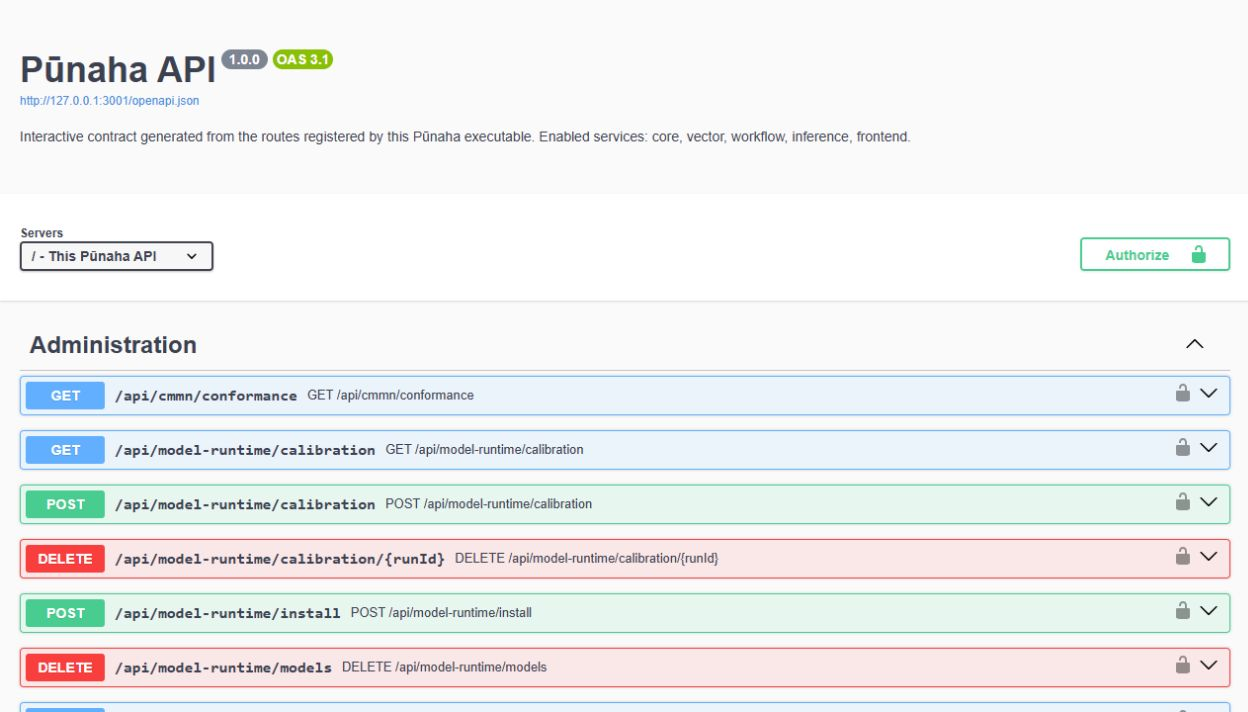
- Choose an API group.
- Open the request you need.
- Read its method, address, input, and possible responses.
- Only try a request when you understand what it will change.
Download the OpenAPI file
The customer OpenAPI 3.2 file is at /openapi.json. Save the file from the exact Pūnaha version and server type you use. The current documentation source digest is 8c568bec762d5d5568af9f763ae9a39eb50c6d820f83e8fb1f0273b7dae773b7.
Build an API client
- Create the client from the saved OpenAPI file.
- Choose how the program will sign in.
- Give it only the access it needs.
- Test successful requests and errors.
- Test the client again before you update Pūnaha.
Was this page helpful?
Your answer helps us improve the documentation.
Do not include personal information, customer information, passwords, or keys.