
Administer
Manage settings
Change platform or tenant settings and check the final value.
Choose the right settings page
Platform settings apply to the whole installation. Tenant settings apply to one tenant. Personal settings apply only to one person.
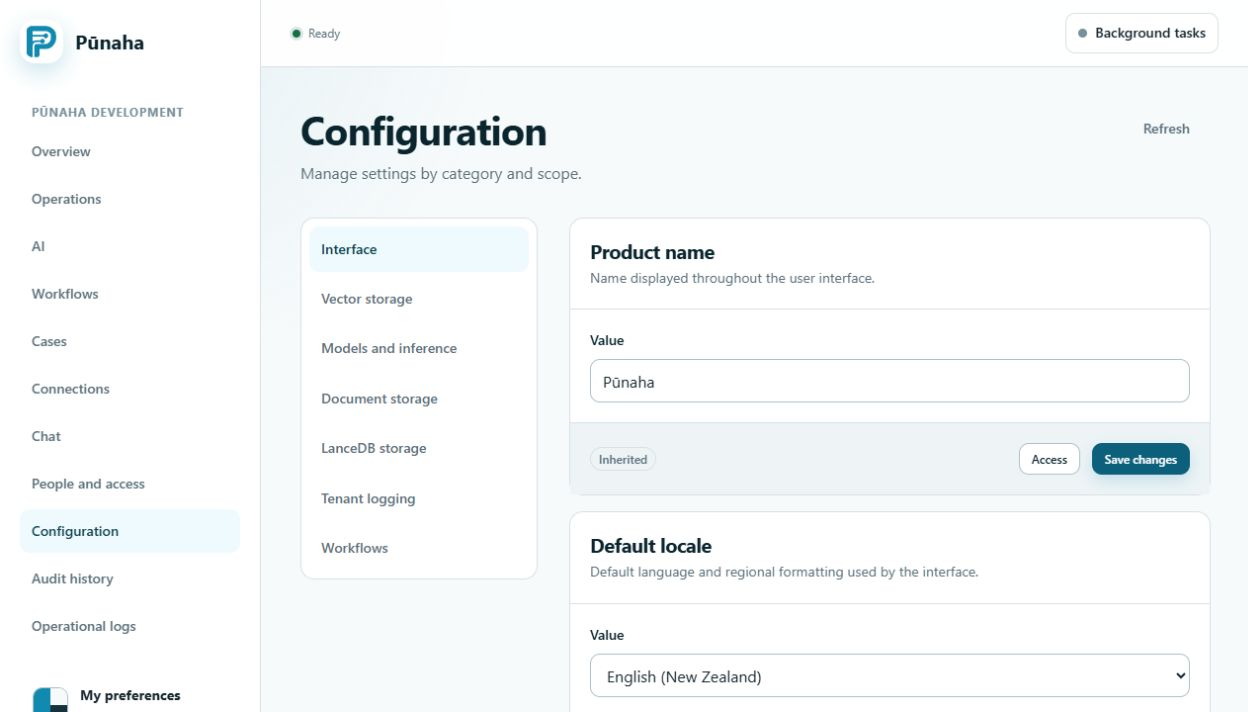
Change a setting
- Check whether you are on the platform or tenant page.
- Open the correct group.
- Read the current value and where it comes from.
- Change only the setting you need.
- Save it.
- Check the value that Pūnaha shows after saving.
Platform settings
The platform page also includes runtime, sign in, storage, models, logs, and environment information.
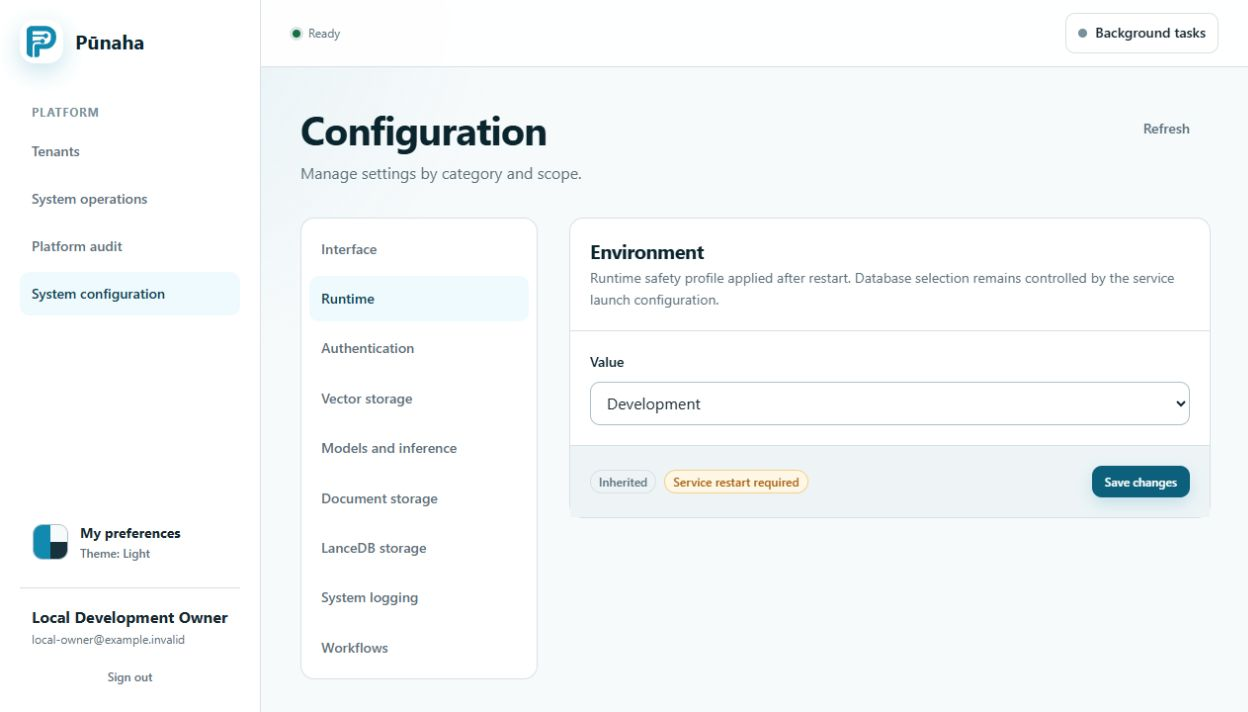
Restart notices
Some settings need a service restart. Restart only when the page tells you to. Keep passwords and secret keys out of screenshots and support messages.
RC1 shared and node settings
Use the current configuration authority for shared changes. A joined node can change only its permitted local overrides.
Read public addresses and CORS and model scheduling. A saved remote value is not proof that an unreachable node has applied it.
Was this page helpful?
Your answer helps us improve the documentation.
Do not include personal information, customer information, passwords, or keys.