
Operate
Make a safe production change
Prepare, apply, check, and if needed reverse an approved production change.
Your progress
Follow this journey
Progress is saved only in this browser.
Before you start
- Name the approved change and its owner.
- List the affected service groups, databases, storage, tenants, and product areas.
- Record the current product and database versions.
- Define the healthy result and the stop point.
- Define how to reverse the change.
- Choose a maintenance time and tell affected people.
Create a recovery point
Back up the Control, Workflow, and AI databases at one release checkpoint. Include the required document, model, knowledge, runtime, and log data.
Verify the checkpoint before the change. A list of backup file names is not proof that the data can be restored.
Apply one controlled change
- Remove affected servers from normal traffic when needed.
- Pause work only when the approved plan requires it.
- Apply database updates once with the approved migration account.
- Apply the intended service or setting change.
- Start services in the approved order.
- Do not add unrelated fixes during the change.
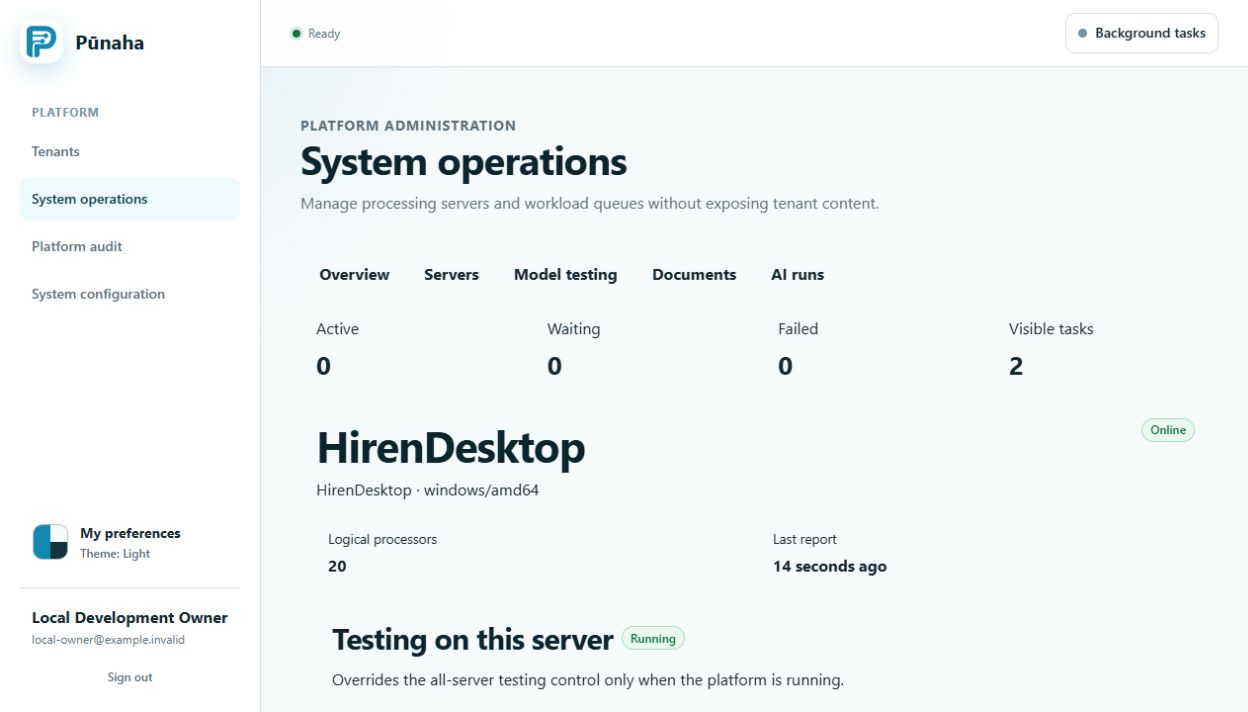
Check the healthy result
- Confirm Live and Ready for every affected service group.
- Confirm each expected server appears in System operations.
- Check that queues move and new work reaches a final state.
- Test sign in and one allowed access decision.
- Test one safe workflow, case, and knowledge action when affected.
- Check the logs and audit record for unexpected failures.
Stop or reverse when needed
Stop when an agreed check fails, a required store is unavailable, or data versions do not match. Do not keep sending traffic while the cause is unknown.
Use the approved reverse plan. If it requires a restore, use the matching full checkpoint and verify it on the recovered system.
Record the result
Record the version, change time, people involved, checks, result, issue IDs, and audit or request IDs. Keep secrets and customer information out of the change record.
Next step
Use Verify a backup and restore and Investigate a problem.
Check the RC1 path
Use the exact platform upgrade procedure. Keep the installed database provider fixed and preserve protected registration state.
Was this page helpful?
Your answer helps us improve the documentation.
Do not include personal information, customer information, passwords, or keys.