
Operate
Check operations, logs, and audit records
Follow one failed or waiting item from Operations into logs and audit records.
Your progress
Follow this journey
Progress is saved only in this browser.
Before you start
Record what the person was trying to do. Record the tenant, time, item, message, and request or run ID.
Do not collect passwords, tokens, private keys, or customer documents that are not needed for the check.
Find the work in Operations
- Open System operations for the whole installation or Tenant operations for one tenant.
- Choose the smallest useful time range or work group.
- Find the active, waiting, or failed item.
- Record its service, state, item ID, job ID, run ID, or request ID.
- Read the message before you change anything.
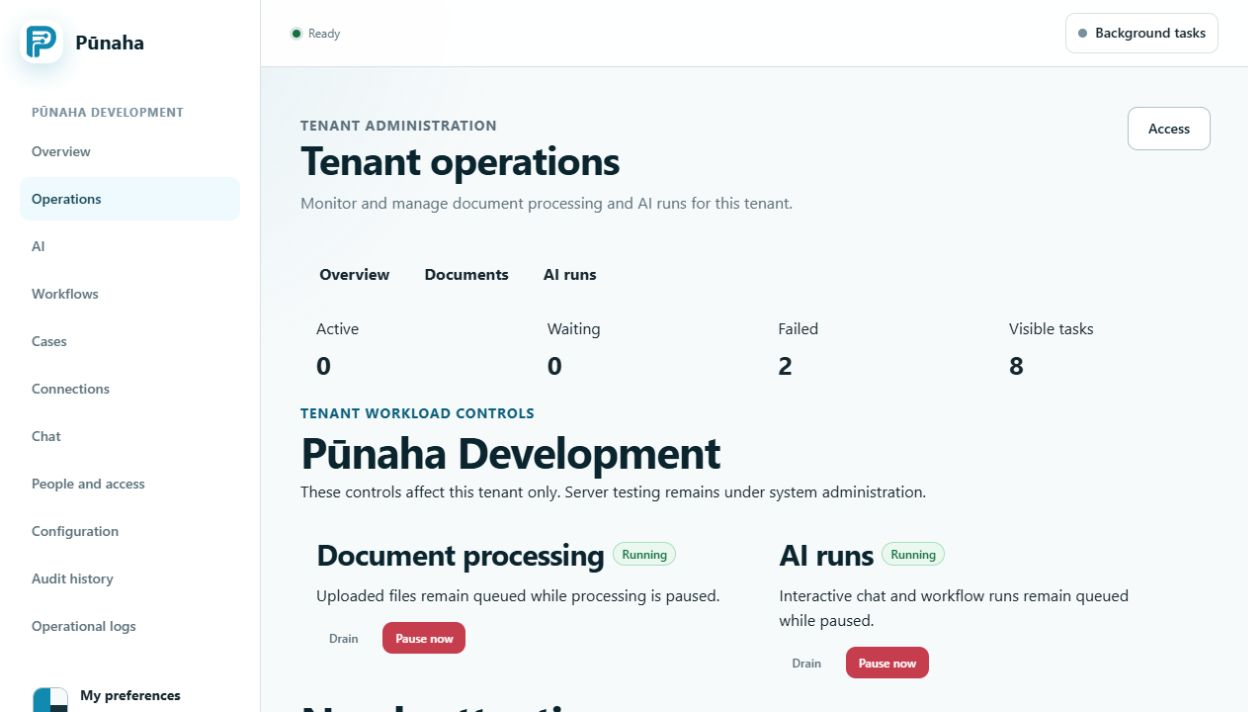
Follow the item into the logs
- Open Operational logs.
- Use a short time range around the failure.
- Enter the tenant and the best available ID.
- Read the events in time order.
- Find the first event that explains the failure.
- Record the service and message.
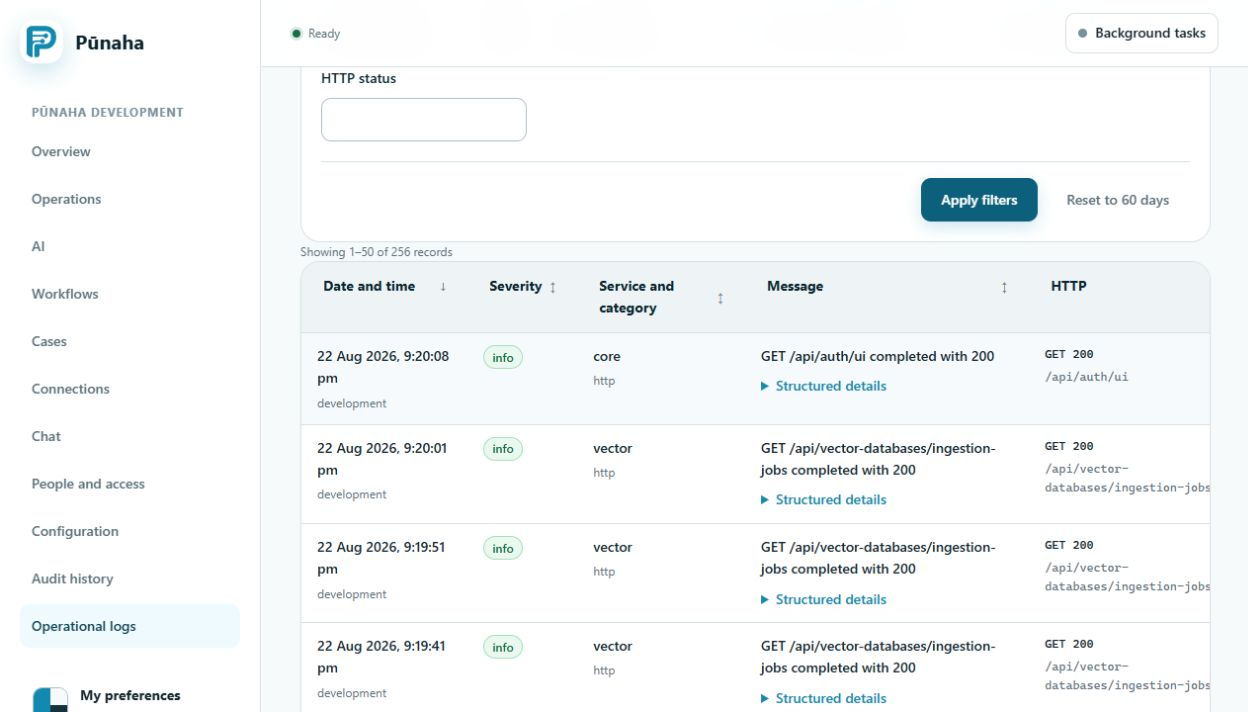
Check for an administration change
Open Audit history when the problem may follow a change to access, settings, a Connection, a model, or another managed item.
- Use the same tenant and time range.
- Filter by person, action, resource, or request ID.
- Check the result of the change.
- Compare its time with the first failure.
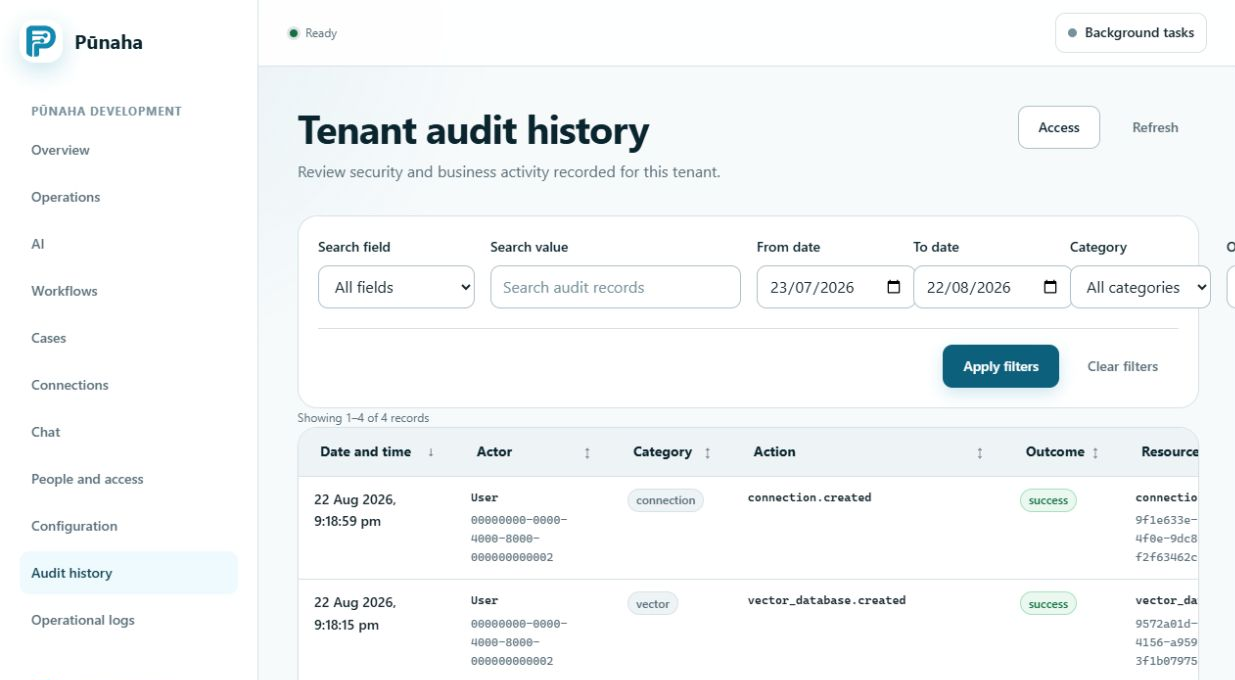
Choose the next action
- Fix a setting only when the evidence identifies that setting.
- Restore access only after Check access confirms the missing action.
- Test a failed Connection before a workflow uses it again.
- Restart a service only when its state or logs show that a restart is needed.
- Retry work only when the operation is safe to repeat.
Check the result
Return to Operations after the change. Confirm that the service is ready and that new work reaches a final state.
Keep the original IDs and the change record when your organisation needs evidence of the investigation.
If the cause is still not clear
Keep the current evidence. Record the exact version, time range, service, tenant, IDs, and messages.
Do not make several unrelated changes at once. Each change makes the original cause harder to find.
Next step
Read Use the Operations pages and Use logs and audit records for more detail.
Was this page helpful?
Your answer helps us improve the documentation.
Do not include personal information, customer information, passwords, or keys.