
Reference
Server setting names
Find the main environment setting names and what each group controls.
Open the Environment group
The platform Configuration page shows safe information about the current environment.
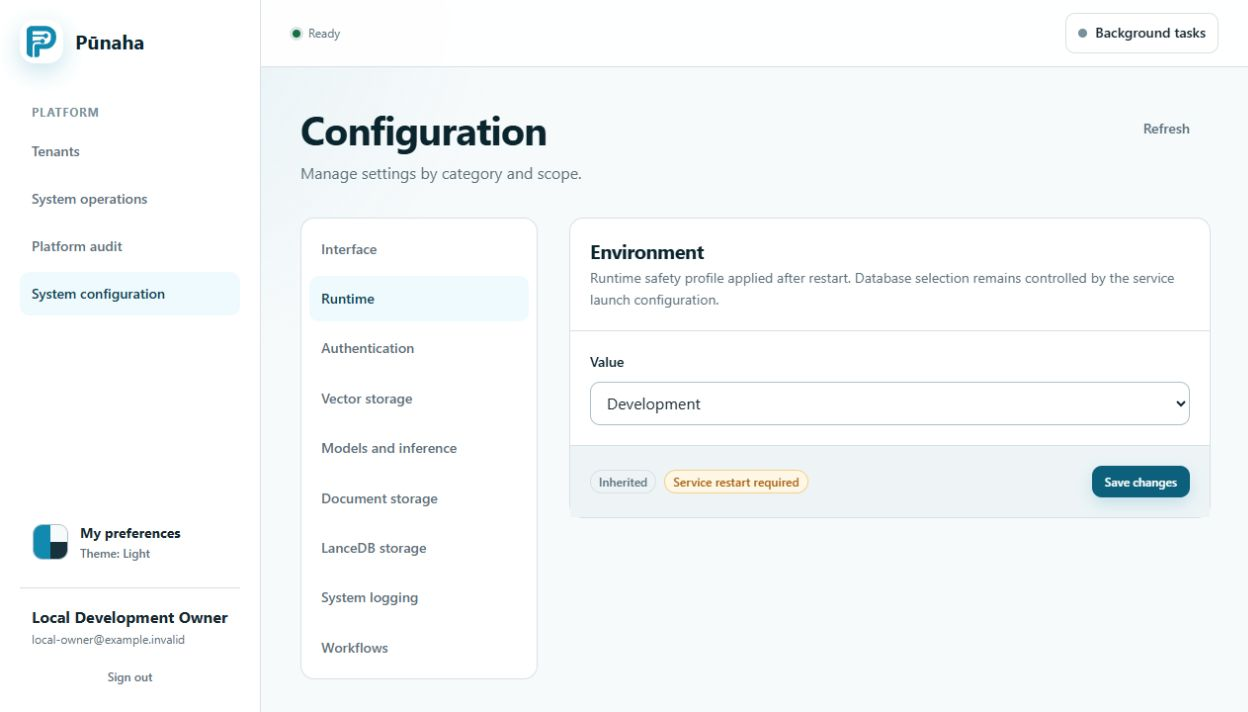
Server and ports
PUNAHA_ENV sets the environment. PUNAHA_SERVICES chooses services. The API and frontend host and port settings choose their addresses.
Data and server name
PUNAHA_DATA_DIRECTORY chooses the data folder. PUNAHA_SERVER_ID and PUNAHA_SERVER_NAME identify the server.
Sign in and licence
The setup, sign in, encryption, audit, licence file, and public key settings protect access to the installation.
Databases
Control, Workflow, and AI each have settings for the server, port, database name, normal account, update account, TLS, and connection count.
AI settings
Other settings control the private AI address, LanceDB, llama.cpp, model folders, processor, context size, batch size, threads, and GPU layers.
Keep passwords, tokens, and encryption keys out of source control.
Installed database and identity state
PUNAHA_DATABASE_PROVIDER supplies a provider choice before setup. The protected installation state becomes authoritative after setup.
Control, Workflow, and AI use PUNAHA_CONTROL_DB_*, PUNAHA_WORKFLOW_DB_*, and PUNAHA_AI_DB_*. Changing them does not provide a cross provider migration.
The 720 powered on hour allowance is not an environment setting. Read registration and renewal.
Was this page helpful?
Your answer helps us improve the documentation.
Do not include personal information, customer information, passwords, or keys.