
Reference
Fix service readiness and storage problems
Understand a running service that is not ready or data that is unavailable after a storage change.
Start with what you see
Choose the closest problem
Select one symptom. You will still check the evidence before changing anything.
What you see
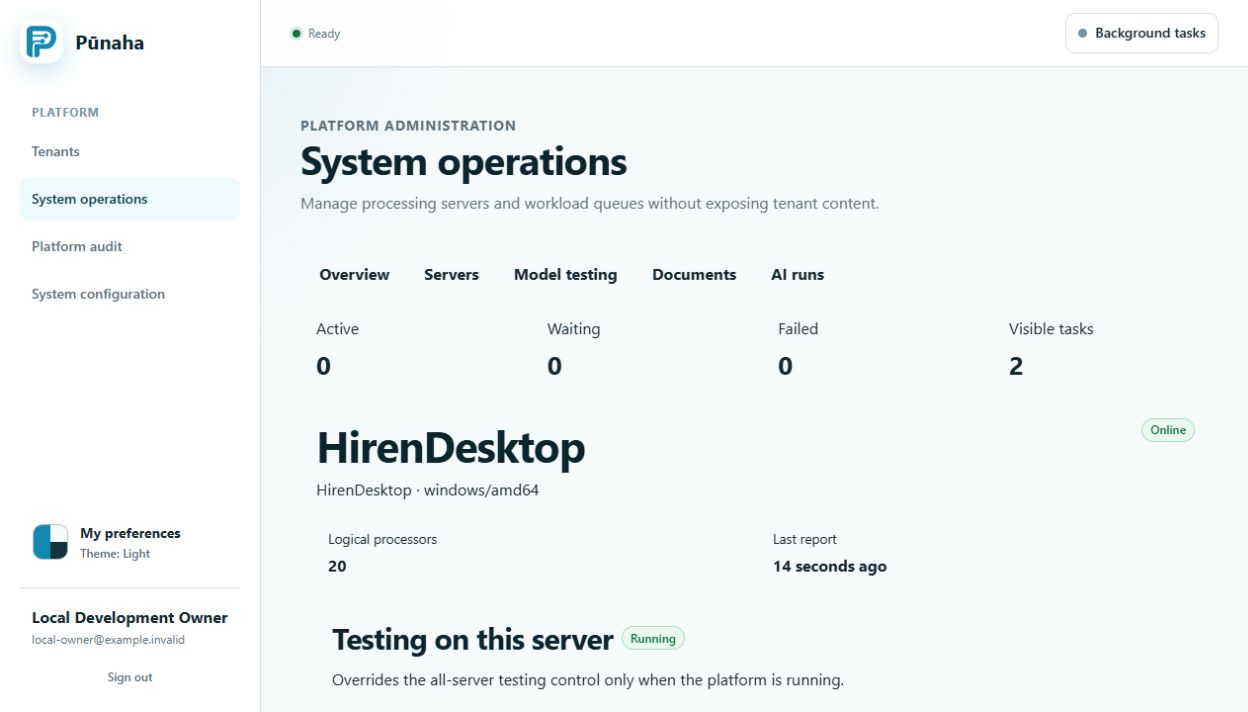
/health/livesucceeds but/health/readydoes not.- A service does not appear as ready in System operations.
- Documents, knowledge indexes, or logs are unavailable.
- Old knowledge seems missing after a storage destination changed.
What it means
Live means the program is running. Ready means it can receive its normal work.
Changing a storage destination does not move old data. The old data remains at its earlier destination until an approved move or rebuild is complete.
Likely causes
- A required Control, Workflow, or AI database is unavailable or needs an update.
- A Workflow server has no local AI service and cannot reach its private AI address.
- A service setting, private network route, or internal authentication value does not match.
- The configured storage path, bucket, container, permission, or key is wrong.
- Several servers use local storage instead of one approved shared destination.
- The storage setting changed before old data was moved or rebuilt.
Safe checks
- Check Live and Ready separately on the affected service.
- Read the service state in System operations.
- Check the first readiness message in the service logs.
- Confirm the expected service role and required database are reachable.
- For Workflow, confirm that local AI is present or the approved private AI address is set.
- Compare the configured storage destination with the approved design.
- Confirm that every server which needs shared data uses the same durable destination.
Solutions
- Restore the required database, service, or private route before returning the server to traffic.
- Run an approved database update once before starting the updated service group.
- Correct only the identified storage setting or permission.
- Keep an unready server out of the load balancer.
- Move existing data or rebuild knowledge from approved source documents before switching storage.
- Do not silently use local storage when shared storage is required.
What to collect
Collect the product version, service role, server name, Live and Ready results, time, safe destination name, database version, request ID, and visible message.
Do not collect database passwords, storage keys, internal service tokens, private network details that are not needed, or customer files.
Related guides
Read Check service health, Run Pūnaha on several servers, and Plan storage and backups.
Was this page helpful?
Your answer helps us improve the documentation.
Do not include personal information, customer information, passwords, or keys.