
Reference
Data locations and movement
See the main places where product data is stored and when configured work can send data elsewhere.
Start with the main data stores
| Store | Main information |
|---|---|
| Control database | Identity, tenants, configuration, access, audit, and operating controls |
| Workflow database | Connections, workflow definitions and runs, case types, and cases |
| AI database | Knowledge, documents, ingestion, and model state |
| Configured file stores | Original documents, knowledge indexes, local model files, runtime files, and logs |
Storage choice controls location
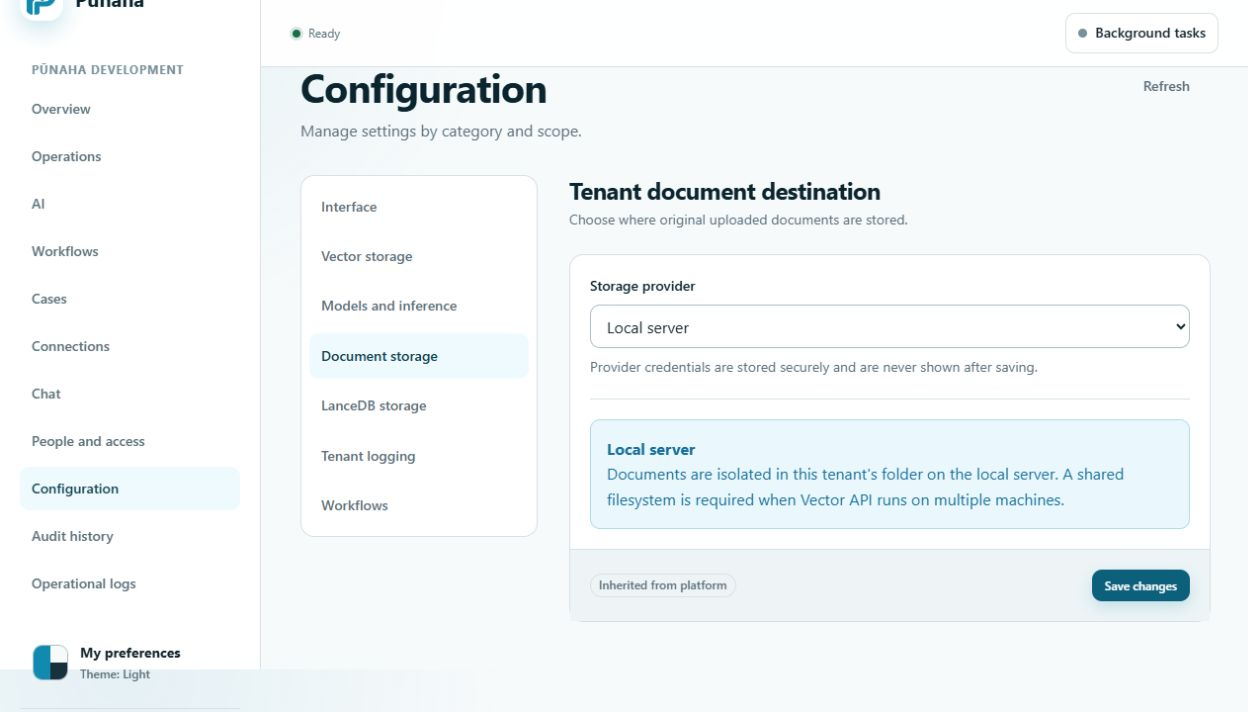
The installation can use filesystem, S3 compatible, and Azure Blob storage. Confirm the active adapter and service identity for each data type.
RC1 implements S3 and Azure Blob document delivery. GGUF model weights still need a filesystem location. Verify read and write access on every intended node.
Data moves when an approved action sends it
- An external model provider receives the content included in its model request.
- An email, API, or database Connection sends the fields used by that workflow step.
- A cloud storage adapter sends stored files or logs to its configured destination when that adapter is available.
- An administrator can export authorised audit or access review records while normal Product access is available. Registration restriction blocks ordinary exports.
Local processing can reduce movement
The embedded model runtime and built in document extraction run in the Pūnaha installation. Workflow protection checks also run in the product rather than sending content to a separate moderation service.
Local processing does not make all work local when a workflow uses an external model or Connection.
Documentation and support are separate
The documentation site does not store Pūnaha tenant records. Its local search reads the published documentation index.
Customer data is not needed for normal documentation search. Share only approved, reduced evidence through your organisation's support process.
Review each movement
- Name the data and its owner.
- Name the source and destination.
- Confirm the approved provider, region, and agreement.
- Reduce the fields to what the action needs.
- Check access, encryption, retention, logs, and deletion.
- Test with safe sample information.
Related tasks
Read Manage settings, Manage Connections, and Plan storage and backups.
Chat and registration information
Chat stores extracted attachment text and metadata with its run. It does not store the original binary as a Knowledge document.
The configured registration flow sends declared installation metadata to Support. Review the supplied privacy notice and keep optional sharing choices separate.
Was this page helpful?
Your answer helps us improve the documentation.
Do not include personal information, customer information, passwords, or keys.