
Use Pūnaha
Find and run workflows
Open a workflow, start it, and follow its progress.
Find a workflow
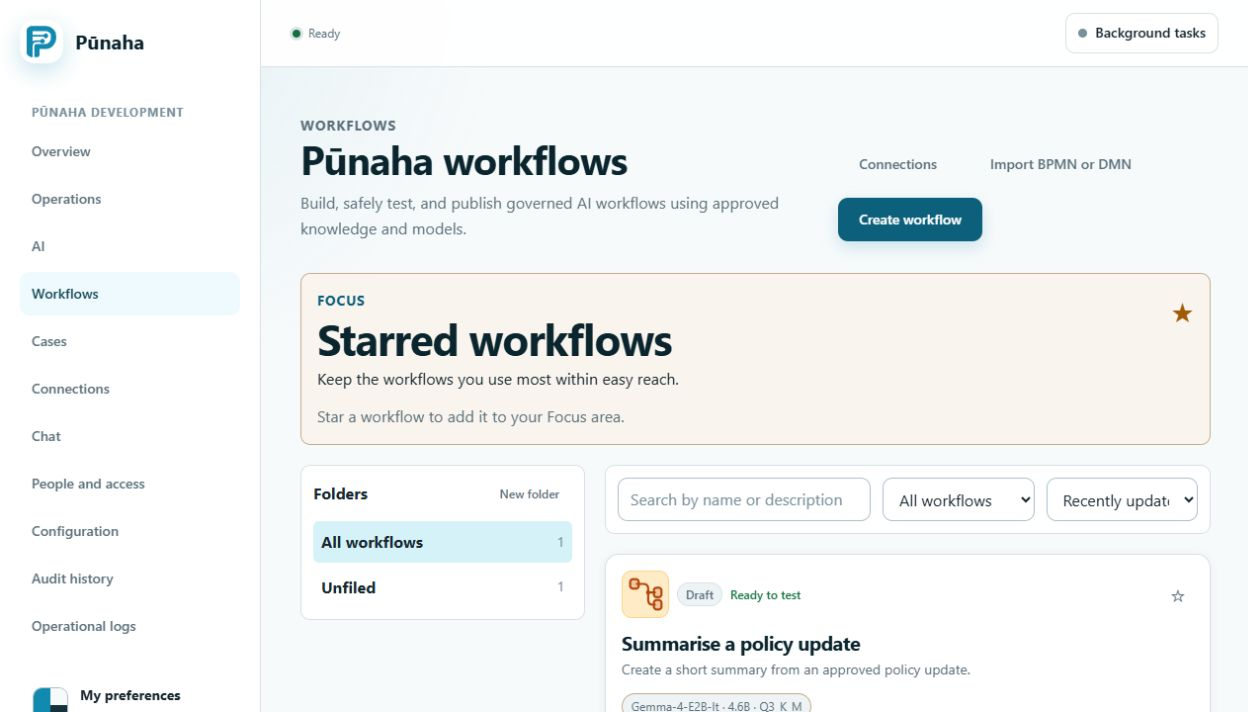
Open Workflows to see the workflows that you can use. Folders and stars help you organise the list. They do not change access.
Start a workflow
- Open a published workflow.
- Read the information it needs.
- Enter the required information.
- Choose Run.
Pūnaha saves the workflow version, progress, events, and results.
Follow the progress
Some steps can run at the same time. The run page shows the current state and the events that have already been saved.
Complete a task or approval
A workflow can stop and wait for a person. Only people with the right access can complete the task or make the decision.
If you cancel a run, Pūnaha keeps its history.
Read the current run state
Distinguish a human approval from a scheduled or background wait. Read the saved instructions before a decision. Reopen the run history after a lost live connection.
Was this page helpful?
Your answer helps us improve the documentation.
Do not include personal information, customer information, passwords, or keys.