Create a workflow with clear inputs, steps, and outputs.
Applies to
Next (0.1 RC1 Preview)
Product revision
25748655d6be
Audience
Solution builders
Source reviewed
Open Workflows
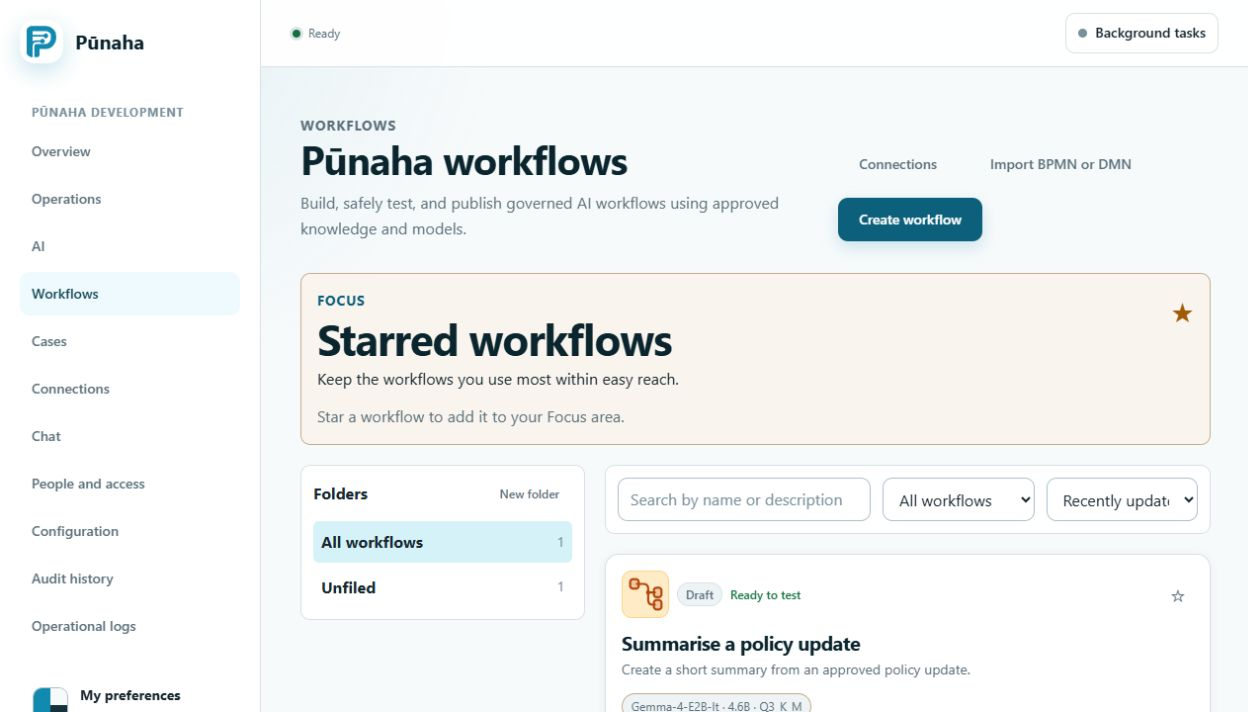
The Workflows page shows drafts and published workflows.
Choose Create workflow to start, or open an existing workflow to change its draft. Earlier development interface, captured 22 August 2026. Follow the current text for RC1. Open the full image.
Create the first path
Choose Create workflow.
Give the workflow a clear name and purpose.
Add an Input step.
Add the work steps in the order they depend on each other.
Add an Output step.
Save and check the draft.
Use the editor
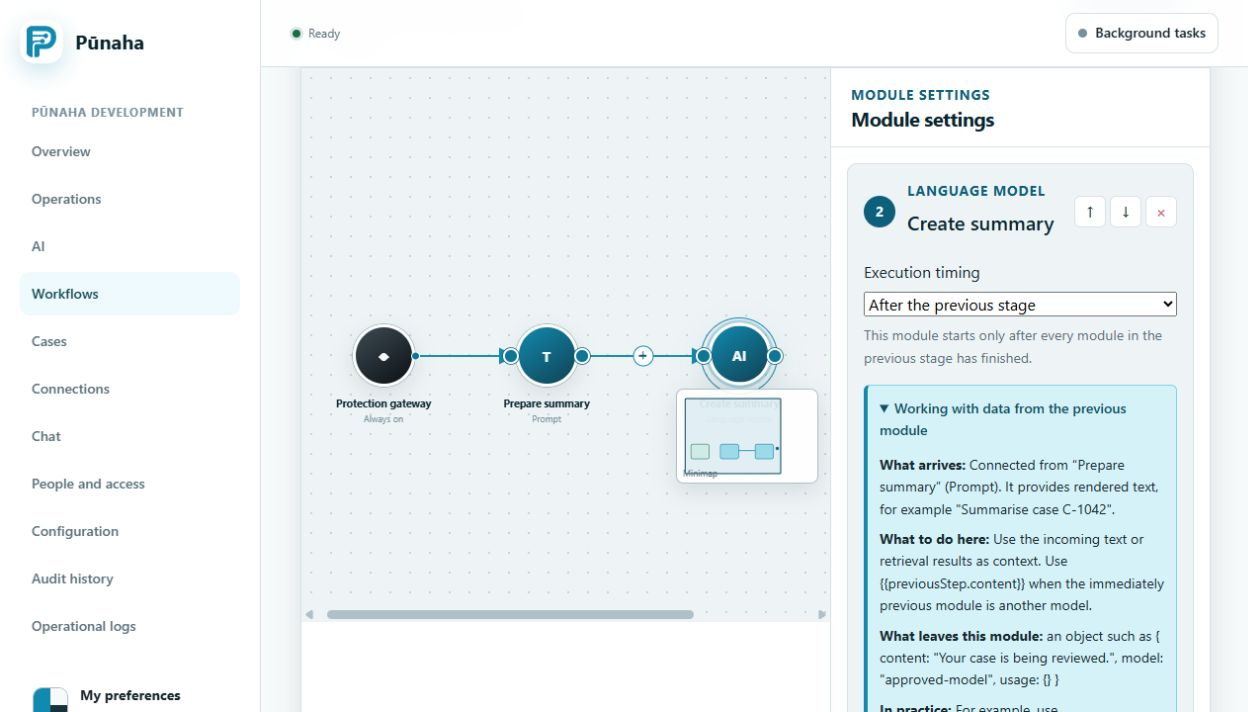
The editor shows the steps and the links between them. The links decide the order of work.
Open a step to change its settings. Use the links to show which step comes next. Earlier development interface, captured 22 August 2026. Follow the current text for RC1. Open the full image.
Keep passwords out
Choose an approved Connection, model, or knowledge database. Do not copy passwords or keys into the workflow.
Was this page helpful?
Your answer helps us improve the documentation.
Do not include personal information, customer information, passwords, or keys.