
Administer
Prepare a model and knowledge database
Prepare a model, create a knowledge database, and test a simple search.
Your progress
Follow this journey
Progress is saved only in this browser.
Before you start
Choose an approved local model or model provider. Make sure you have permission to manage models and create knowledge databases.
Prepare one small document with information that is safe to use for a test.
Prepare the model
- Open AI, then choose Models.
- Choose an approved model provider or the local model runtime.
- Add the model details required by that provider.
- Test embedding and text generation separately when both are needed.
- Enable the model only for the work it can perform.
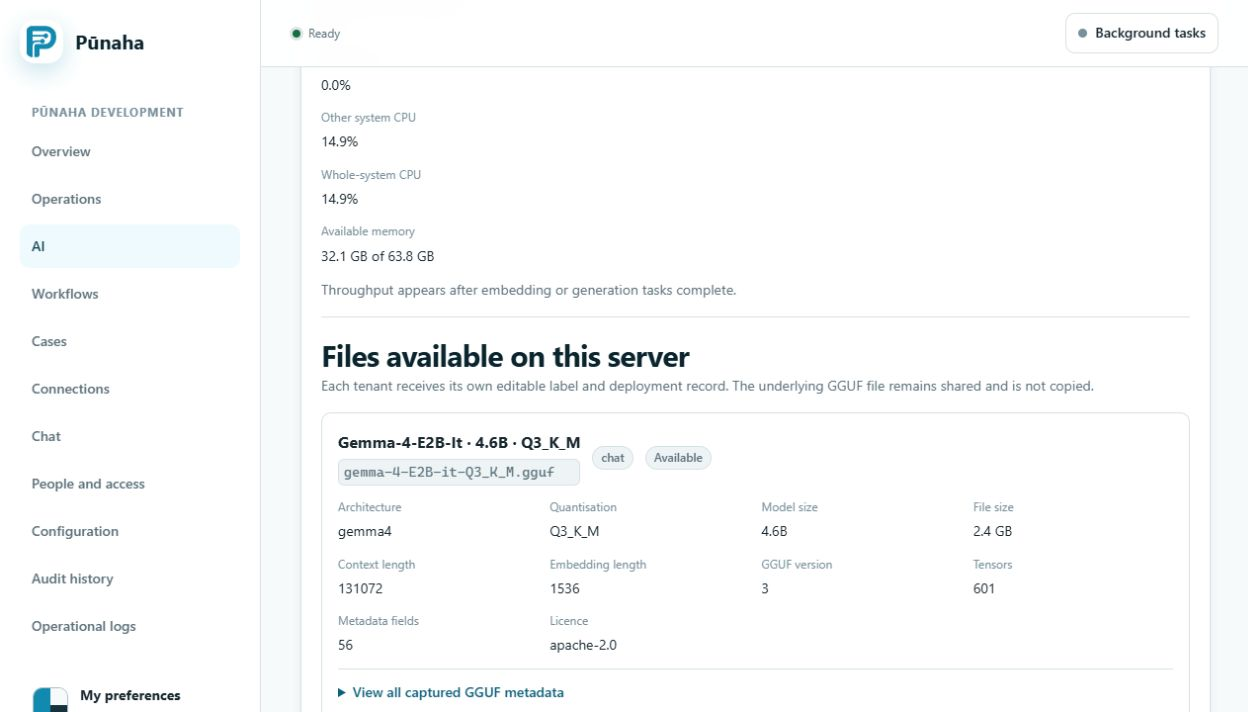
Create the knowledge database
- Open AI, then choose Knowledge.
- Choose Create database.
- Enter a clear name, title, and purpose.
- Choose the prepared embedding model.
- Choose the search methods needed for this information.
- Create the database.
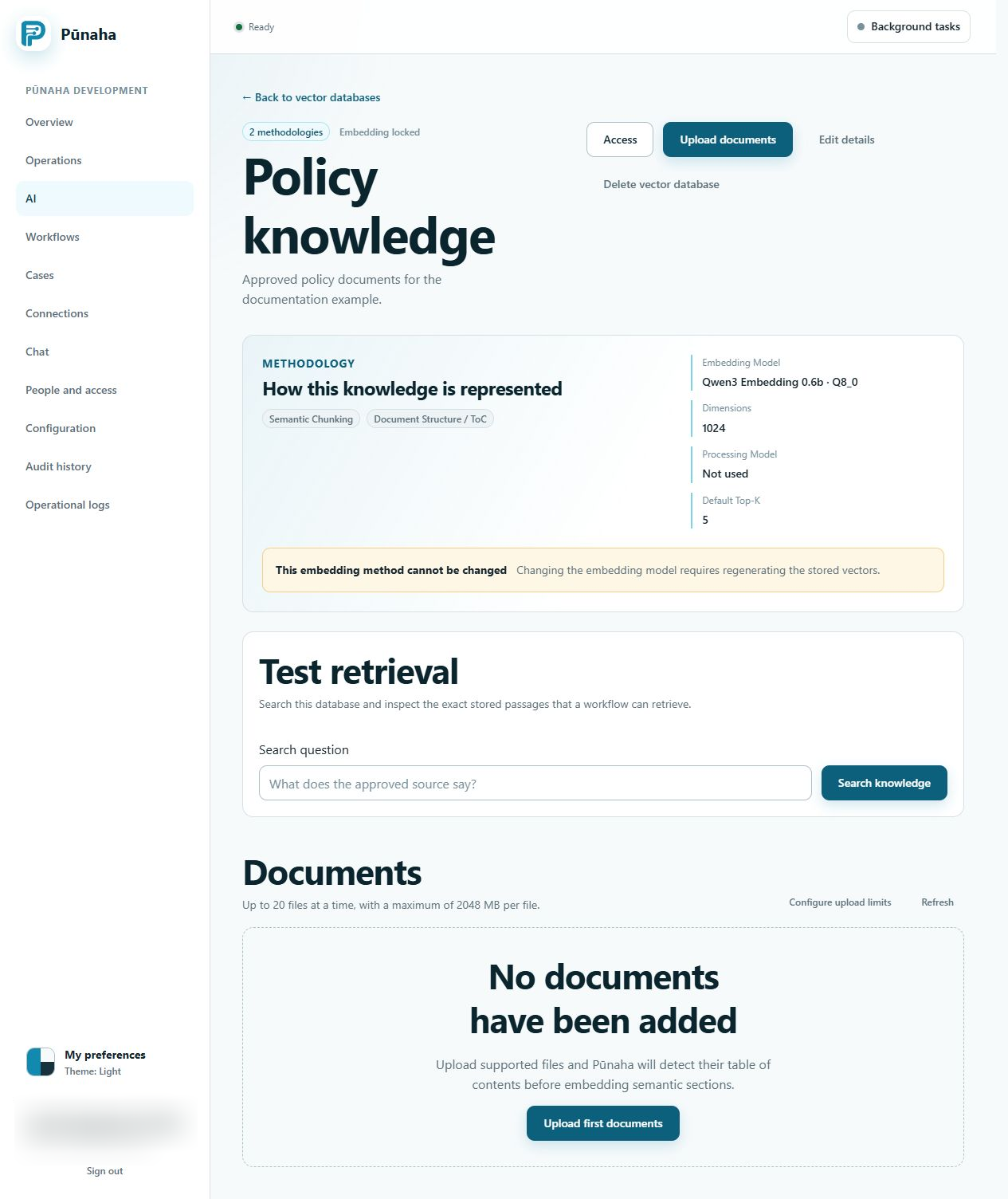
Add and test one document
- Open the new database.
- Upload the safe test document.
- Wait until processing finishes.
- Search for a fact that appears in the document.
- Open the returned passage and check it against the source.
Check the result
The model should be ready for its enabled work. The document should show as finished. The test search should return the correct stored passage.
If it does not work
- If no embedding model is available, check the model state and your access.
- If the document is rejected, check its type, size, encryption, and readable text.
- If processing fails, record the document and job details before trying again.
- If search returns the wrong passage, check the source document and search methods before adding more documents.
Next step
Read Upload and search knowledge for daily document work. Read Run local AI models for local model setup.
Capacity and document work
Configure generation and embedding separately. Read model scheduling and document processing controls before changing a busy node.
Was this page helpful?
Your answer helps us improve the documentation.
Do not include personal information, customer information, passwords, or keys.